A Nigerian identity-verification platform · 2024
A self-serve identity-verification platform
Three connected surfaces (a client dashboard, an internal admin console, and a no-login face-capture flow for end users) so organisations can run photo-verification campaigns against a government identity database, with an audit trail defensible enough for pensions and payroll.
- Role
- Product Designer
- Platform
- Web dashboard + mobile web
- Timeline
- 2024
- Team
- Product / business analyst; engineering
- End-to-end design across 3 surfaces
- Flow & error-state design
- Working from a written spec
Client name withheld. Screens are anonymised and all data shown is fictional.
Context
Organisations (corporates and government agencies) periodically need to confirm that a person is who they say they are and is still active: pension beneficiaries, staff audits, driver ID checks. The platform turns that into a campaign: upload a participant list, share a link, and each person completes a face capture matched against their government identity record. I designed it from a written concept note, across three surfaces with very different users.
The problem
- Clients need to launch a campaign in minutes, watch it fill up, and export records that hold up to scrutiny.
- End users are often non-technical, on any phone, and will abandon anything that feels like a form or asks them to make an account.
- The platform needs an audit trail: who verified, when, with which photo, and why a verification failed.
What I did
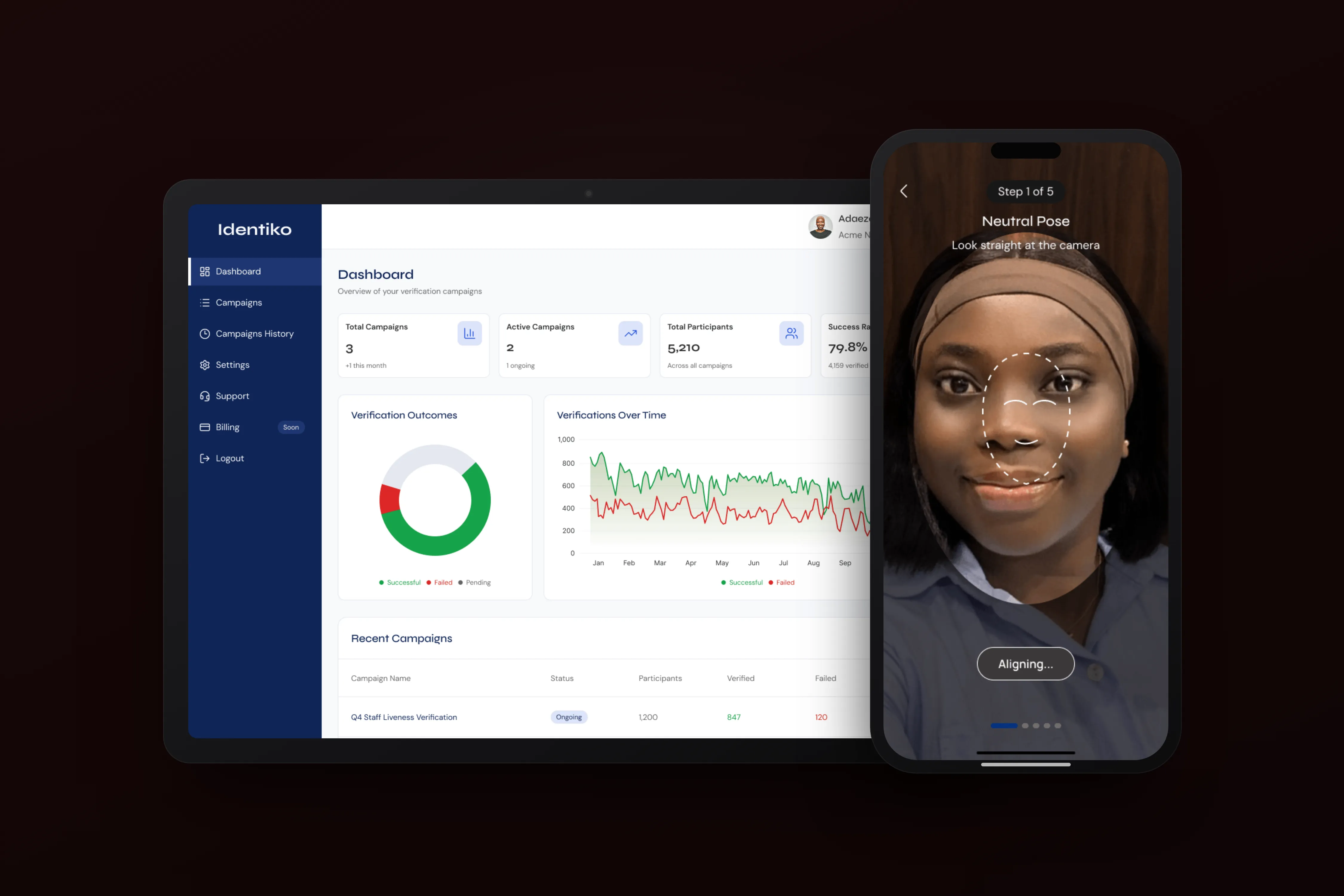
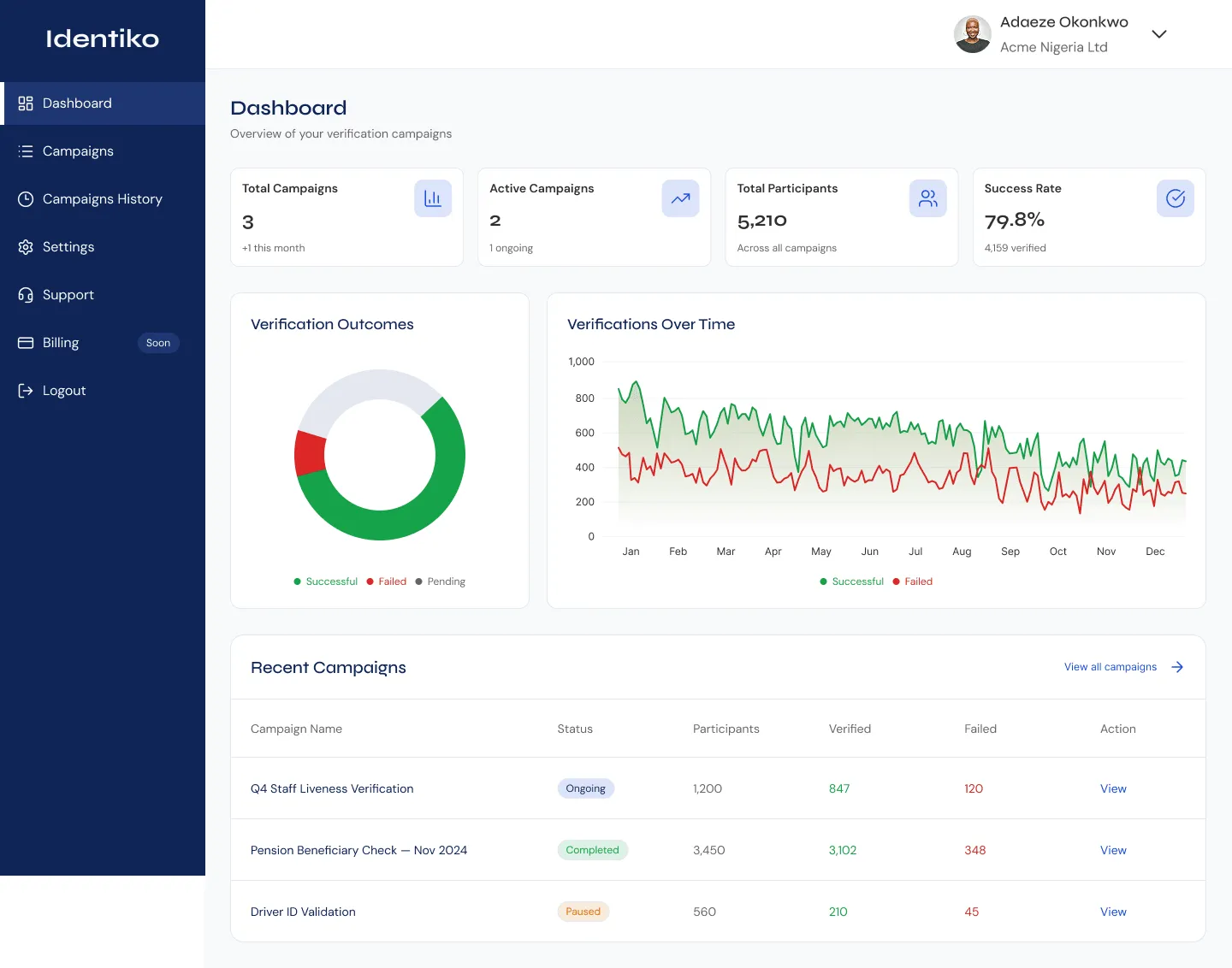
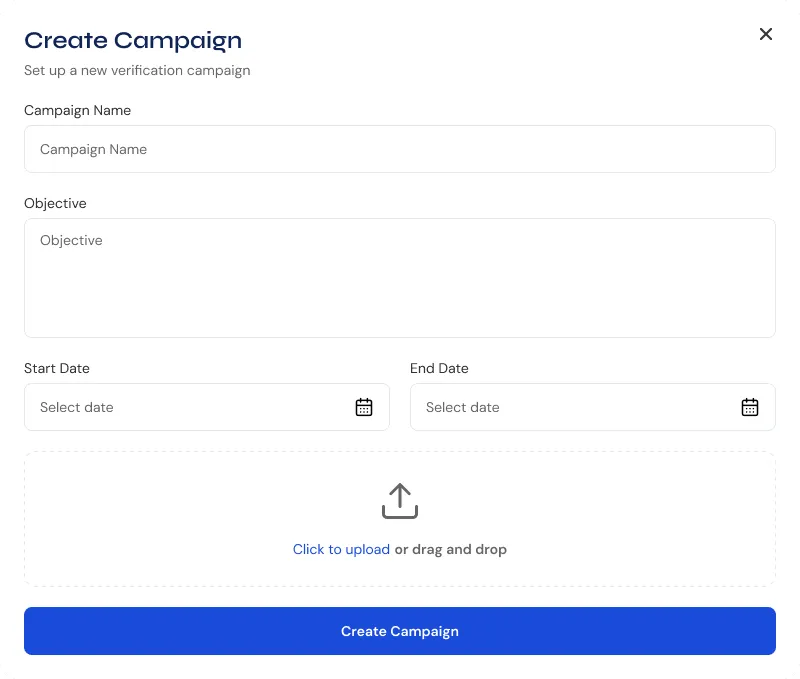
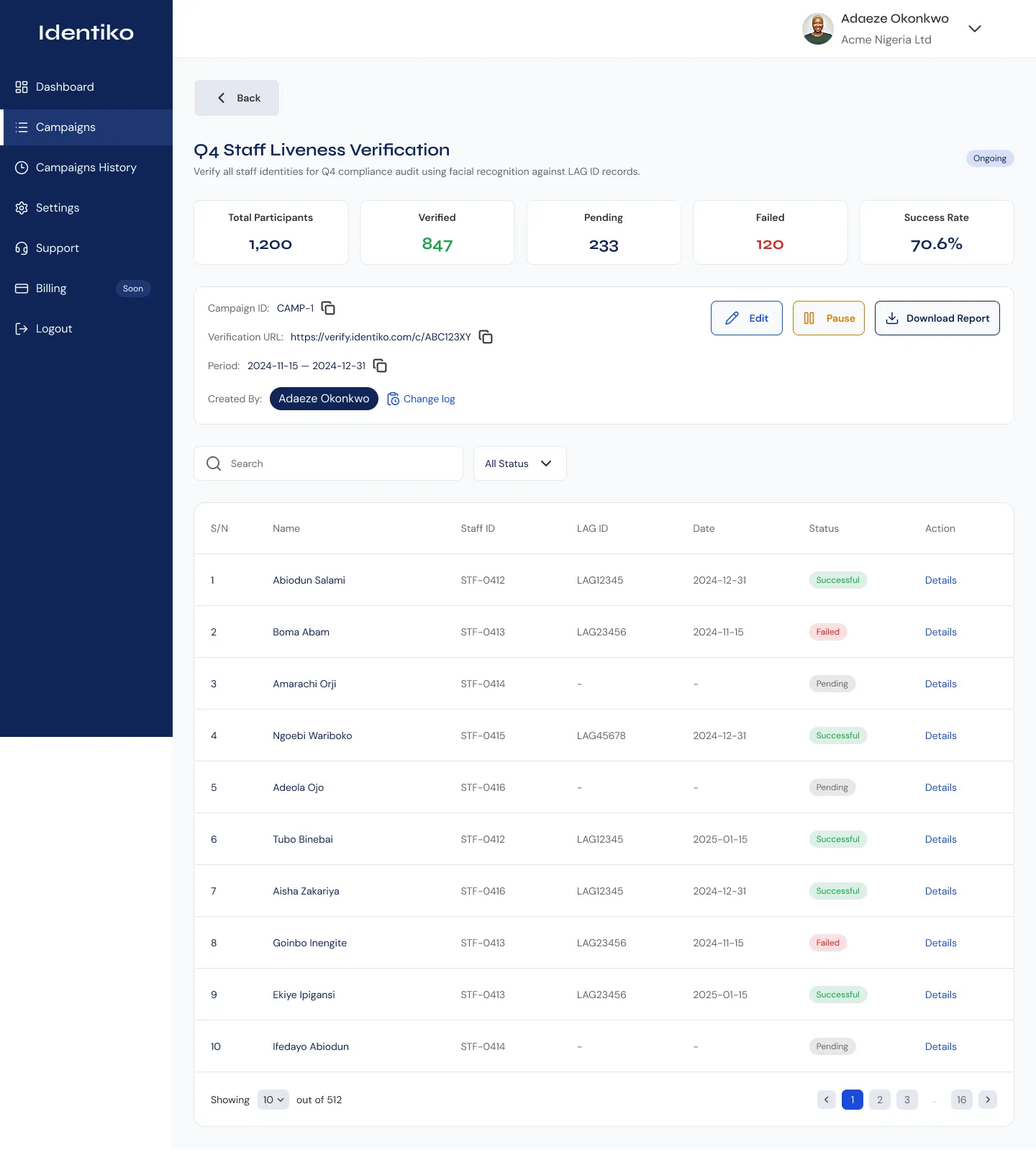
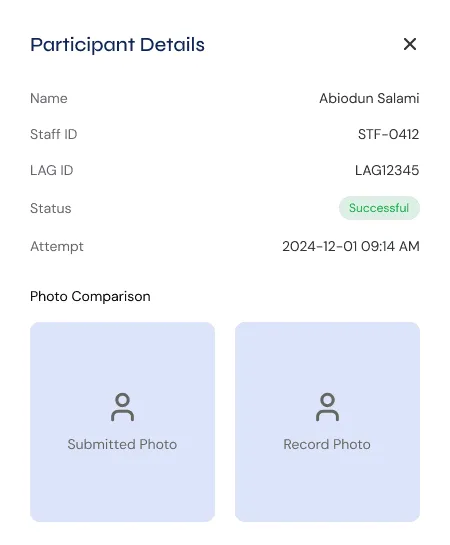
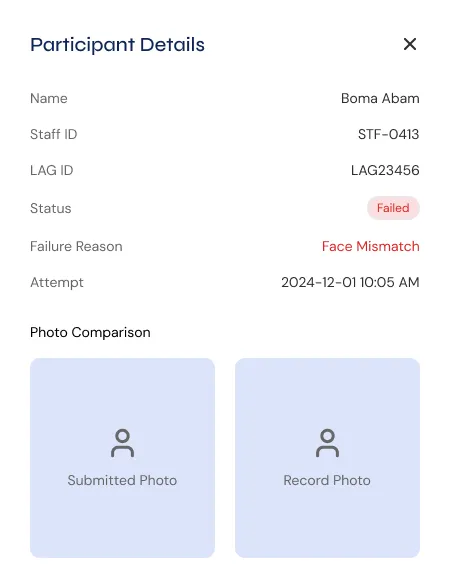
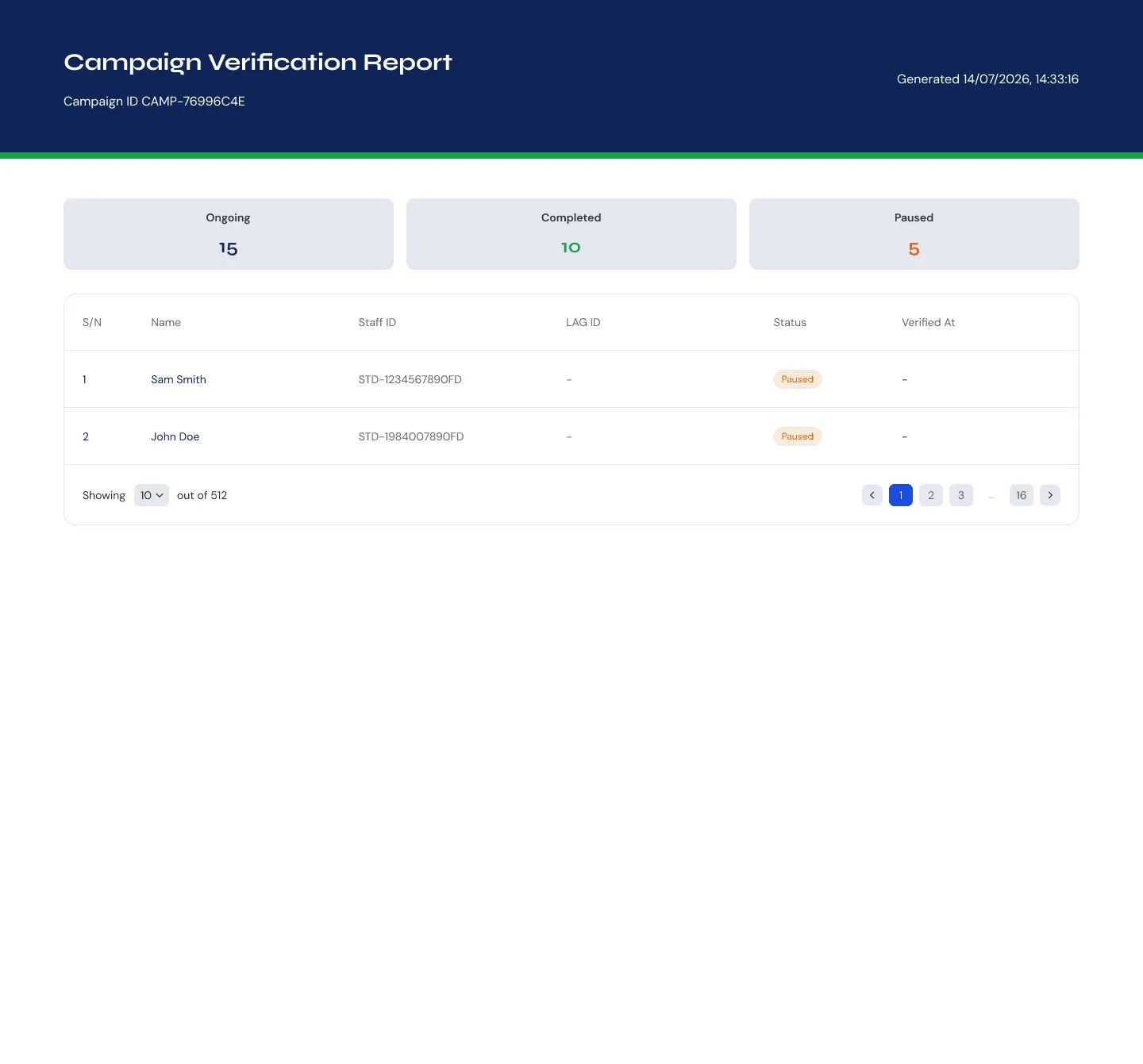
- Client dashboard: a home view with campaign totals, active-campaign count, participant volume and success rate at a glance, plus a verification-outcomes split and a trend over time, so a spike in failures is visible before it turns into a support ticket. From there: a searchable, filterable list of every campaign, create a campaign (name, objective, dates, participant CSV with validation), monitor it, drill into per-participant records (submitted photo vs. record photo, status, failure reason), export reports, and manage sub-admins with scoped roles.
- Admin console: a client approval queue (validate registration documents and director IDs), account controls (pause / deactivate), and a platform-wide audit trail and metrics.
- End-user capture: a no-login mobile-web flow. Enter ID → eligibility checks → guided face capture with on-device quality checks and retake → a clear result. Every failure and edge case is a designed state (campaign paused, already verified, face mismatch, ID not found, camera denied, poor lighting, upstream API down), not a dead end.
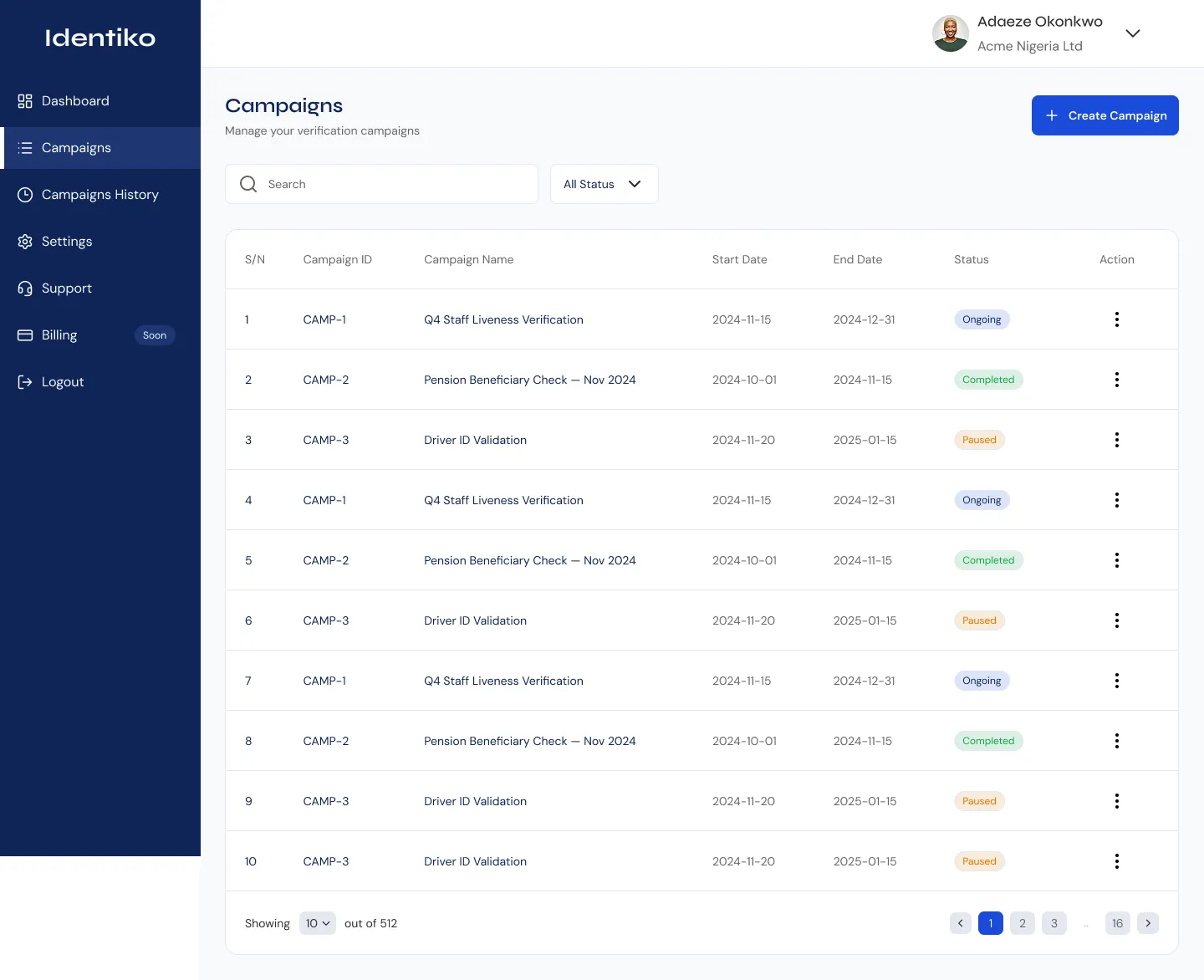
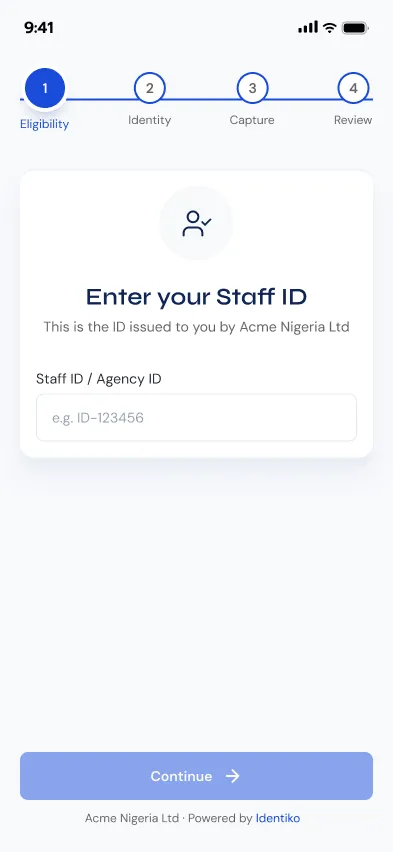
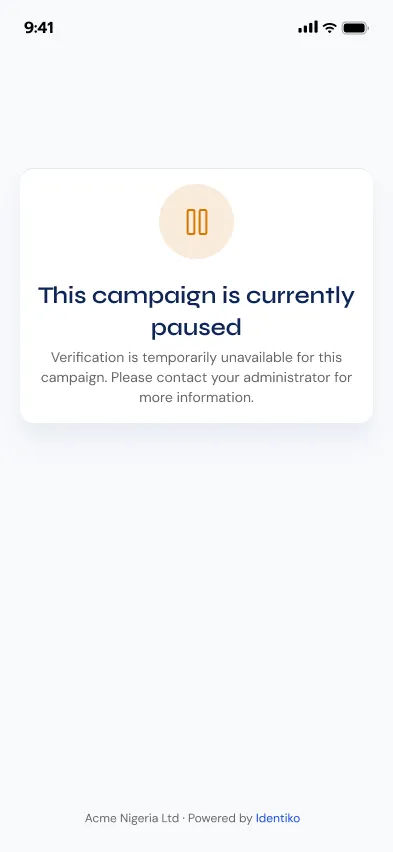

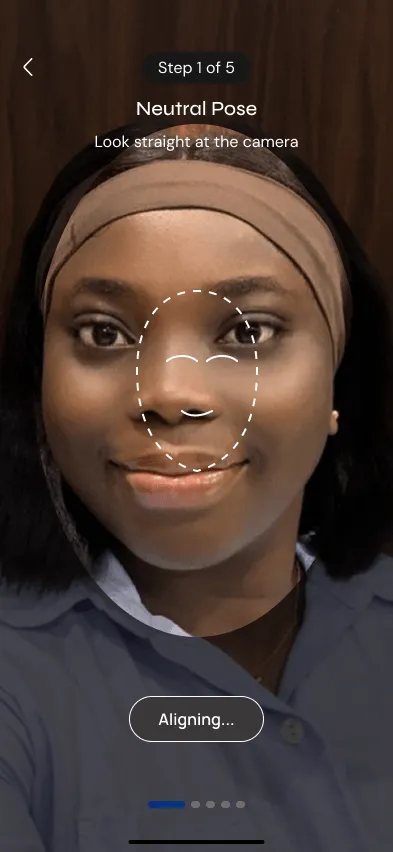
Opening a campaign from the list surfaces its own numbers, participants, verified, pending, failed, success rate, next to the verification URL, its active period and a change log of who edited it. Every row in the participant table underneath links out to that person’s own record.
Key decisions
No account for end users. Account creation would tank completion in this audience; eligibility is gated by the campaign list instead.
Guide the capture, check on the device, let people retake. Pose steps, quality checks and a preview-before-submit cut failed verifications, and the support calls that follow them.
Show both photos and the exact failure reason on the record. Verification gets contested; the record has to make the outcome defensible on its own.
Mask the identity number in the UI (LAG***45). Data minimisation by default.
“Upstream API down” is not “verification failed.” In a flow tied to someone’s pension, an infrastructure error must never read as the person failing a check.
Outcome
One product now runs across three surfaces, a client dashboard, an admin console and a no-login end-user capture flow, on a single audit trail. Getting verified takes zero accounts, and 8+ failure and edge states, a paused campaign, an already-verified participant, a face mismatch, a denied camera, an upstream outage, are designed states rather than dead ends.
Pilot adoption, capture-flow completion rate, and time-to-verify against the in-person process it replaces are still early. I hold them as targets rather than confirmed results, with firm figures to follow once there is a stable stretch to report.